

A User’s Guide to Microsoft Office
Choosing the Right Program in Microsoft Office
With a multitude of programs out there, how do you know which one is right for the task you are working on? One of the most common suite of programs used in business is Microsoft Office. So which programs in office should you use for what? Let’s break down the three most commonly used components of the Microsoft Office suite.

Word (your modern day typewriter)
Word should be used for, well, words. Anything that is in a narrative form, such as letters, memos, outlines, simple signs and fliers, etc. Word also has the capability for mail merges, where word is used for the document portion of your merge and pulls in your information from a database source, such as Excel or Access, to create multiple letters and envelopes or labels.
Excel (a super fancy calculator and simple database program)
Excel should be used for “flat” data or anything that requires computations to be performed. What do I mean by flat data?

Any data that is not related to other data, such as a single table of data, would be flat. So, for example, if you have a list of customers that you need to maintain, excel would be a great option to maintain that data. Additionally, Excel does have many advanced features, including the ability to perform complex computations as well as some simple database functions.

Access (data as far as the eye can see)
Access is used for “relational” data, this is the right option if you are maintaining large quantities of data that needs to have relationships set up. So if you find yourself with a file folder full of excel files containing data tables related to your customers, it might be time to maintain that data in Access. But I don’t just want to store my data, I want to extract useful information from my data, you say. No problem! Access also has the capability to run reports and queries on your data, helping you gather information quickly and easily.
Knowledge is Power
Did you know that Microsoft offers free tutorials online for the office suite of programs? Visit their learning center at https://www.microsoft.com/en-us/learning/office-training.aspx
Top 21 Favorite Marketing Memes of the Month
Here it is, our top marketing memes of the month, chosen by the team at Discover Pubs.
Memes generate a good laugh, but they can also allow us to walk a day in each other’s shoes and experience the good and bad of our daily professions. As for marketing professionals, from the moment we sit down to our computers to the point that we think it’s time to leave, but can’t see the time through our strained eyes – we are creating and sending content through emails, social media, blogs and everything-in-between.
For the next few minutes give your eyes some relief, or hop into a set of your marketing friend’s shoes and enjoy our 21 favorite marketing memes of the month.
#1

Or do they?
#2

But, they want to grow their following?
#3


campaign + strategy = results
BOOM.
#4
It looks a little like this.
#5
And, this.
#6

Oh yeah, and this.
#7

The essence of email marketing, and when it finally comes along …

100? More like …
#8

consider us the online version of Oprah. And please, feel free to click through.
#9
And, it wasn’t even incentivized.
#10
After creating the pop-up form for lead information.
#11

What we’d like to happen after sending “please fill out the form below,”
#12

what actually happens.
#13

When you get those leads, keep ’em clean, aka semi-annual CRM verification.
#14

So, when you send links to your leads – this happens.
#15
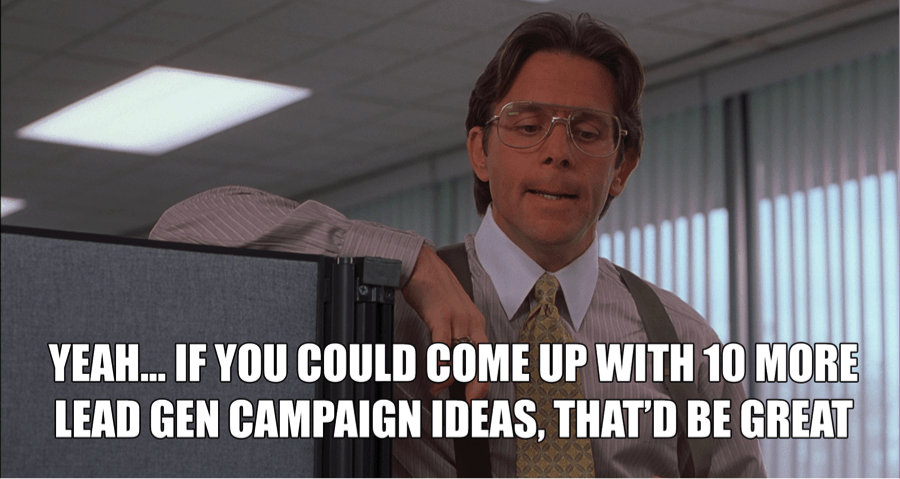
Only to be followed up by this.
#16

Then, this – because anything will go viral, right?
#17

We can dream (but, please refer to #1, #2, #3).
#18

Level 10 accuracy (aka: please share this post).
#19

But then, after tomorrow, it finally happens …
#20

time to celebrate.
#21
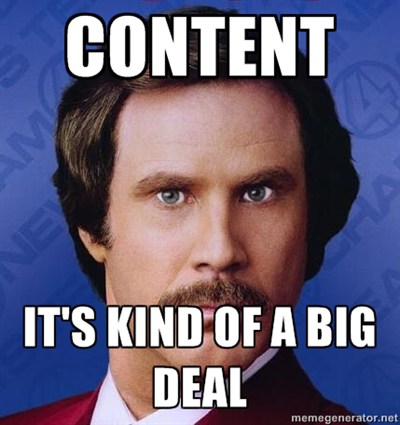
And, keep it classy.
Your Custom Publication, Make Every Page Count
A custom publication creates a lasting impression on your audience, make them remember you

When you’re publishing your custom publication with Discover Publications, we want you to make every page count. To that end, here are 5 ways to grab attention and get your readers to engage with your company.
- An enticing lead article
Your front page story is your reader’s first impression. An engaging article gets your reader’s involved from the start is important and will peak their interest. An article about the local area and market is always relevant … it speaks to them directly, especially when they are sitting at home. Readers would like to know what’s happening in the market and if their home is rising in value.
- Featured listings and homes sold and pending
Many of our clients like to use the giant 10” x 16” back page to show off their most prized listings. Use this space to your advantage by keeping your listings moderately-sized with a photo and a brief description. Always have a space where the reader can locate a number or website quickly to contact you if they find their dream home.
Having pending and sold listings shows that you can move homes, and move them quickly, thus creating confidence in your place as a market leader. Plus, the reader can see what home prices are going for in the area.
 3. Call to action spaces.
These spaces, strategically placed within the custom publication, are where you want to really sell yourself and make the phone ring. Use these spaces to search for possible sellers and leads. For example, the house that your reader owns is something your buyers are in need of and they may be looking to sell. Many use the spaces to promote a website with a message: a free home value or market analysis. You may also want to promote a charity event you are involved in, or an event you are sponsoring for the community. You can also use these areas to sell ad space to defer the cost of the paper.
- Advertisers
Selling ad space in your custom publication to friends and acquaintances in the business is a great way to offset your costs. Our clients frequently team up with a staging company, financial company, title company, or insurance provider. We can create the ad if needed and bill the advertiser directly for you.
- Testimonials
To further cement your place as a market leader in your area, having some testimonials from satisfied clients can show your human side, and highlight things you and your staff have done to create a positive outcome for your clients.
Use these helpful tips to make publishing your custom publication much easier and more successful.
Visual Content Strategy
Have you heard of Visual Content Strategy, or multi-platform content sharing?
Let us explain this integrative strategy and how to implement it in your marketing next month.
The point of visual content strategy is to gain as much traction and interaction with one piece of content as possible once it has been published to the web. Not only will you be creating a greater number of  opportunities to build consumer relationships and amplifying your online reach, you will be allowing your brand the opportunity to gain followers, build SEO and generate a memorable UI/UX for prospects. Implementing this strategy means taking a well-written, informative article or content that your company has created, and sharing it on several platforms. AKA: your company blog, LinkedIn, Facebook, Twitter… you name it.
The first action of this strategy will be optimally (using keywords as the SEO anchor) posting your article on your company blog; this is where the other posts will direct the audience when clicked through from your various social media portals.
Once that has been completed, we’ll move on to the next step of the visual content strategy where the name of the game is brand engagement and awareness. What we want to do here is deliver your information to a greater number of prospects, and enable interaction through shares, “likes,” comments, and hash tags when plausible. Remember that it is important to pre-determine your message so that it correlates correctly with each media platform, but no matter what social media you use, the post should link directly to the hosting page of your article.
Let’s Recap –
You’ve written an excellent content article that is a shareable, likeable success. In order to amplify the reach of this content, it is first published on the company blog, complete with high-quality keywords, images, etc. Your posts on LinkedIn are different from Facebook, and your Facebook posts are different from Twitter, but they all relate to the topic of this specific content strategy, link to the hosting blog page and include a few of the keywords you’ve determined from the original post. What was once a blog-only article has now been integrated on four differing platforms, reaching a greater number of the hundred of millions of worldwide web users. And, because you’ve used keywords and links, the more interaction and shares your post receives the higher the chances of locking in a greater SEO value.
Visual content strategy – Get integrating!
Shelby Nicholson | shelby.nicholson@discoverpubs.com
Designing and Writing for Today’s Technology
From the Right Side of Your Brain
“asdf jkl;,” The refrain from typing teachers everywhere in the ‘80s, mixed with the clack of electric typewriters banging away, and the DING as you reached the end of the carriage return, are familiar sounds to most Gen Xers (and older. Millennials, you are excused from the rest of this post). “Remember to double-space after sentences…”
STOP! Here’s where the problem begins. Let me explain…
 Computers are NOT typewriters. Modern fonts and computer programs automatically compensate for a slightly larger space after sentences. So in this modern environment it is never necessary to double space after sentences. (Certain technical publications and documents aside). In fact, every time I receive a document with two spaces after sentences, the first thing I do is to remove them. Then starts the process of removing all the quirky workarounds that went with Typing, replaced nowadays with Keyboarding.
Your Qwerty layout of individual keys on the keyboard in front of you may be reminiscent of your old Smith Corona, but dig a little deeper and you will see the differences. Here are some of the main offenders…
- — The double dash. NO, just no. M dashes, and N dashes too, as they are known —, Can be created with ease on a computer.
- Hello Underlining. Don’t do this either. Typewriters used underlining for emphasis. Why? Because, typewriters have one font, in one size. So the choices we have for emphasis now didn’t exist then. When tempted to underline a word or phrase, try italics, bold, character size, or a different font altogether. ALL CAPs for emphasis is also a no-no. (stop yelling already!)
- “ ” Quotation marks and apostrophes. Real quotation marks are curved. If you end up with lines that are straight up and down, those are inch marks.

These are but a few of the myriad topics discussed in the book “The Mac is not a typewriter,” by Robin Williams. Robin Williams is a well-respected design and writing teacher and has many books on computer related topics. Don’t fret PC users, “The PC is not a typewriter” is also available.
 The main difference between the mac and PC being that a few of the keystrokes are needed to create the punctuation you are looking for. This is a wonderful reference guide for anyone who learned the “old ways” and seeks to harness a little of the powerful upgrades computers provide to make their writing pop.
There are also numerous pieces written online regarding these topics. I urge you to check them out. Some will even argue for using two spaces. Stay strong, hold your ground, and for goodness sake, don’t fall victim to these holdouts.