

A User’s Guide to Microsoft Office
Choosing the Right Program in Microsoft Office
With a multitude of programs out there, how do you know which one is right for the task you are working on? One of the most common suite of programs used in business is Microsoft Office. So which programs in office should you use for what? Let’s break down the three most commonly used components of the Microsoft Office suite.

Word (your modern day typewriter)
Word should be used for, well, words. Anything that is in a narrative form, such as letters, memos, outlines, simple signs and fliers, etc. Word also has the capability for mail merges, where word is used for the document portion of your merge and pulls in your information from a database source, such as Excel or Access, to create multiple letters and envelopes or labels.
Excel (a super fancy calculator and simple database program)
Excel should be used for “flat” data or anything that requires computations to be performed. What do I mean by flat data?

Any data that is not related to other data, such as a single table of data, would be flat. So, for example, if you have a list of customers that you need to maintain, excel would be a great option to maintain that data. Additionally, Excel does have many advanced features, including the ability to perform complex computations as well as some simple database functions.

Access (data as far as the eye can see)
Access is used for “relational” data, this is the right option if you are maintaining large quantities of data that needs to have relationships set up. So if you find yourself with a file folder full of excel files containing data tables related to your customers, it might be time to maintain that data in Access. But I don’t just want to store my data, I want to extract useful information from my data, you say. No problem! Access also has the capability to run reports and queries on your data, helping you gather information quickly and easily.
Knowledge is Power
Did you know that Microsoft offers free tutorials online for the office suite of programs? Visit their learning center at https://www.microsoft.com/en-us/learning/office-training.aspx
Snapchat Marketing for Real Estate
It’s 2016 – the age of technology, and now what many are calling the age of Snapchat marketing. Today there are so many gadgets, techniques, and social media platforms used to connect with your prospective clients, that you’re left wondering which ones are best for your industry. Oh, and how you can “connect” without spending eight hours a day online. Want in on the secret of quick, easy-to-use social media marketing? Snapchat.
By now you’re already actively promoting your business on Facebook, LinkedIn, and Twitter. While those are consistent platforms to build your brand, there is a relatively new platform with over 100 million daily users that, as a real estate professional, you should be integrating into your marketing. We call it Snapchat. Using this application to connect with clients and prospects is incredibly easy and fast-paced. It’s time you give it a try. Here’s how:
Snapchat is an extremely simple way of sending photos and videos directly. But here’s the catch – after the recipient has viewed the photo or video, it disappears forever. Not to worry though, Snapchat has a feature called, ‘Stories’ where you can compile an unlimited amount of photos and videos throughout the day. With this feature, your audience can view your posts as a whole, like a slideshow or video compilation. ‘Stories’ are live on your account for 24 hours.
 At first, you may wonder how is a platform that erases images valuable to your marketing program? Let’s say you are working with a new millennial client who frequently uses Snapchat. You easily add them to your contact list, and send photos and videos directly of a potential home that you think they might be interested in. The app notifies the user to take a look at the video you’ve sent them, and you will also have a visual indication if they’ve seen what you sent. And, because Snapchat has a fantastic built-in communication system, your client can follow-up with a message, photo, or video as well. Easy, right?
Now think about it this way – When you send a “snap” to followers who know that what you’ve shared will only be live for 10 seconds, you will have their undivided attention for the full 10 seconds that your image or video is displayed on their screen. This results in higher retention from your audience when compared to them scrolling through a homepage feed. This also results in a higher response rate due to the urgency stemmed from disappearance.
The ‘Stories’ section of Snapchat can be useful to you as well. You can showcase an open house, any community events, or even create short market updates. With the ‘Stories’ side of Snapchat, you can see who’s watched the entire compilation, and you can even download your entire ‘Story’ as one large pre-edited movie file, and upload it to your other social media platforms. Remember, social media works in collaboration, sharing a video from platform to platform will get more attention towards your posts and your business.

Every client is going to be different, but as time goes on we are seeing that more people want their home buying process to be easier and more accessible. That’s why Snapchat marketing is an easy and fun way to communicate directly with your clients, and all it takes is 10 seconds .
Questions? Give us a call at (614) 785-1111 and in the meantime subscribe to our our youtube channel for more inspiration and real estate marketing videos.
Top 21 Favorite Marketing Memes of the Month
Here it is, our top marketing memes of the month, chosen by the team at Discover Pubs.
Memes generate a good laugh, but they can also allow us to walk a day in each other’s shoes and experience the good and bad of our daily professions. As for marketing professionals, from the moment we sit down to our computers to the point that we think it’s time to leave, but can’t see the time through our strained eyes – we are creating and sending content through emails, social media, blogs and everything-in-between.
For the next few minutes give your eyes some relief, or hop into a set of your marketing friend’s shoes and enjoy our 21 favorite marketing memes of the month.
#1

Or do they?
#2

But, they want to grow their following?
#3


campaign + strategy = results
BOOM.
#4
It looks a little like this.
#5
And, this.
#6

Oh yeah, and this.
#7
The essence of email marketing, and when it finally comes along …

100? More like …
#8

consider us the online version of Oprah. And please, feel free to click through.
#9
And, it wasn’t even incentivized.
#10
After creating the pop-up form for lead information.
#11
What we’d like to happen after sending “please fill out the form below,”
#12

what actually happens.
#13

When you get those leads, keep ’em clean, aka semi-annual CRM verification.
#14

So, when you send links to your leads – this happens.
#15
Only to be followed up by this.
#16

Then, this – because anything will go viral, right?
#17

We can dream (but, please refer to #1, #2, #3).
#18
Level 10 accuracy (aka: please share this post).
#19

But then, after tomorrow, it finally happens …
#20

time to celebrate.
#21
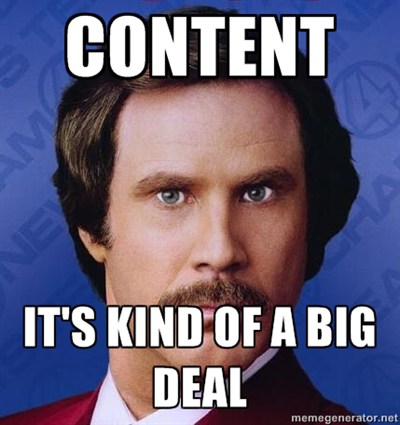
And, keep it classy.
Designing and Writing for Today’s Technology
From the Right Side of Your Brain
“asdf jkl;,” The refrain from typing teachers everywhere in the ‘80s, mixed with the clack of electric typewriters banging away, and the DING as you reached the end of the carriage return, are familiar sounds to most Gen Xers (and older. Millennials, you are excused from the rest of this post). “Remember to double-space after sentences…”
STOP! Here’s where the problem begins. Let me explain…
 Computers are NOT typewriters. Modern fonts and computer programs automatically compensate for a slightly larger space after sentences. So in this modern environment it is never necessary to double space after sentences. (Certain technical publications and documents aside). In fact, every time I receive a document with two spaces after sentences, the first thing I do is to remove them. Then starts the process of removing all the quirky workarounds that went with Typing, replaced nowadays with Keyboarding.
Your Qwerty layout of individual keys on the keyboard in front of you may be reminiscent of your old Smith Corona, but dig a little deeper and you will see the differences. Here are some of the main offenders…
- — The double dash. NO, just no. M dashes, and N dashes too, as they are known —, Can be created with ease on a computer.
- Hello Underlining. Don’t do this either. Typewriters used underlining for emphasis. Why? Because, typewriters have one font, in one size. So the choices we have for emphasis now didn’t exist then. When tempted to underline a word or phrase, try italics, bold, character size, or a different font altogether. ALL CAPs for emphasis is also a no-no. (stop yelling already!)
- “ ” Quotation marks and apostrophes. Real quotation marks are curved. If you end up with lines that are straight up and down, those are inch marks.

These are but a few of the myriad topics discussed in the book “The Mac is not a typewriter,” by Robin Williams. Robin Williams is a well-respected design and writing teacher and has many books on computer related topics. Don’t fret PC users, “The PC is not a typewriter” is also available.
 The main difference between the mac and PC being that a few of the keystrokes are needed to create the punctuation you are looking for. This is a wonderful reference guide for anyone who learned the “old ways” and seeks to harness a little of the powerful upgrades computers provide to make their writing pop.
There are also numerous pieces written online regarding these topics. I urge you to check them out. Some will even argue for using two spaces. Stay strong, hold your ground, and for goodness sake, don’t fall victim to these holdouts.